
Pinterest in your browser, without the ads.
Pinter is a free Chrome extension from the people who make Pinx. It takes ads, and anything else you choose, out of Pinterest before the page shows it, so the grid closes up as if they’d never been there.
Free. For Chrome, Edge, Brave and Arc on a computer.
Pinter is in review for the Chrome Web Store. Until it’s approved, install it by hand.
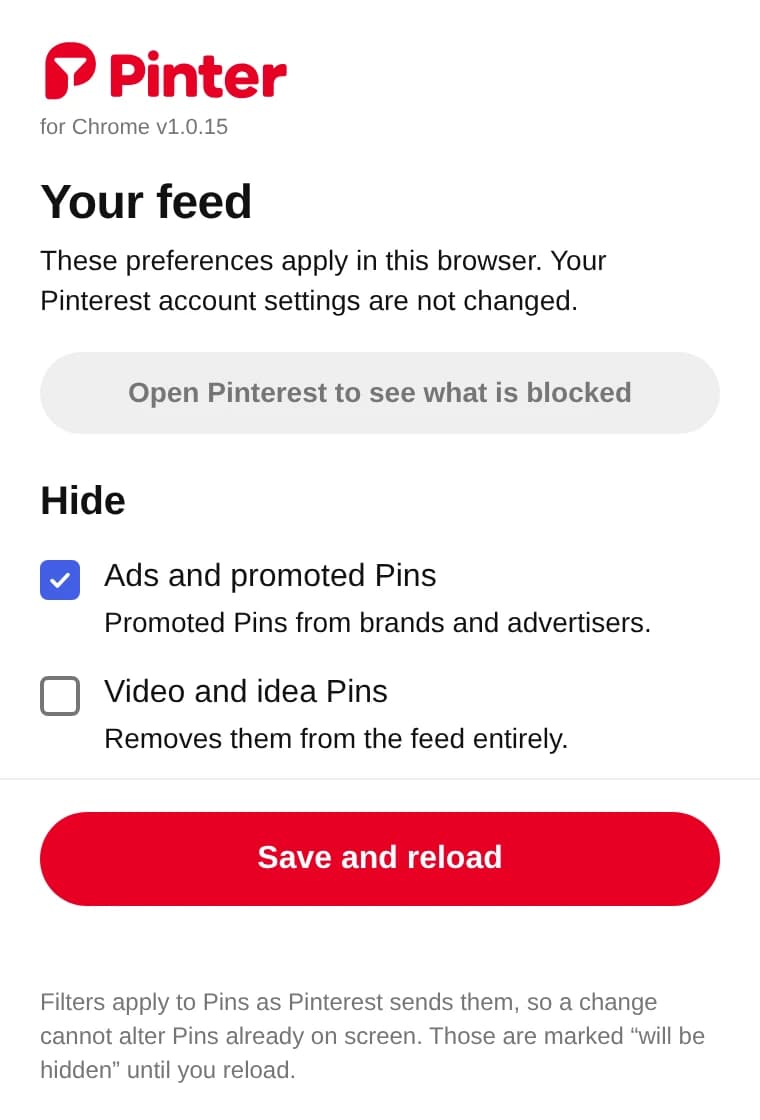
Pinter in 30 seconds
What it can hide
- Ads and promoted pins
- On from the start.
- Video and idea pins
- Remove them, or keep them and stop them playing.
- Shoppable pins
- Product pins with prices and shop links.
- AI images
- Only the ones Pinterest has flagged as AI or AI-modified, so some will slip through.
- Pins with words you list
- Matched against the title, description, alt text, website and pinner.
- Search suggestions
- The strip of suggested searches above results.
Changes apply as Pinterest sends pins, so pins already on screen stay until you reload. Until then they’re marked “will be hidden”, and “See what was blocked” shows everything Pinter removed and why.
Install it in two minutes
Pinter is in review for the Chrome Web Store. Until it’s approved, it’s installed by hand.
- Download pinter-1.0.16.zip and double-click it. Move the pinter folder somewhere it can stay, such as Documents. Chrome loads Pinter from that folder each time it starts.
- Go to
chrome://extensions(in Edge,edge://extensions). - Turn on Developer mode, top right.
- Click Load unpacked and choose the pinter folder, the one containing manifest.json.
- Click the puzzle-piece icon by the address bar and pin Pinter to your toolbar.
- Reload any Pinterest tabs you already had open.
Filtering happens in your browser.
Pinter only runs on pinterest.com. It has no account and doesn’t change your Pinterest settings. Your choices are saved in Chrome on this computer. When you press Save and reload, Pinter sends your filter choices, blocked words and Pinterest username to our analytics, so we can see which filters people use. Privacy details
On your phone? Pinx shows your boards on iPhone with no ads.